|
|
|
Video and examples developed with SCS
|
HOMEPAGE
|
|
|
'Automatic design' and 'Import' series
|
|
Click on the images to open the page where you can see the videos. The videos show how to
reach perfect integration with FEA software like Sap2000, Etabs, Staad Pro and others. SCS takes automatically care of importing a structural
model to then autodesign the connections according to the options input by the user (code, bolts, plate thicknesses and so on). Then the design
files are generated and connected to the model in order to use and make automtaic the updates of the loads if the original model is revised.
|
|
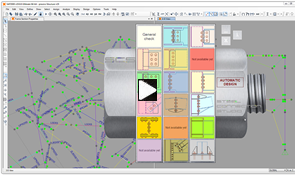
Import a full Sap2000 model then auto-design the connections
|
The video shows how to import a full model done by Sap2000 (the same is currently possible with Staad Pro and Etabs as well).
Highlights include:
- Set up your project options like design standard, preferred type of connections, selected plate thicknesses, bolt sizes to be adopted and many more
-
Let SCS run through your model, group the similar connections and suggest a possible solution for each of them
-
Make SCS generate the connections importing the loads and try to find a sound design of the connections
-
Modify if necessary the design
in the various SCS files
-
Manage the project by using SCS tools where you can visualize all the connections graphically, with the necessary information (design ratios, warnings, etc)
-
Automatically generate multiple reports
-
Successfully manage revisions in the original Sap2000 model: update loads, profile sizes and materials when necessary with just few 'clicks'
|
|
|
|
|
|
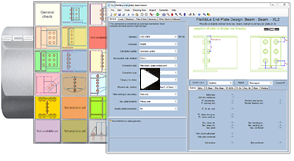
Import load results from Staad Pro model
|
The video shows how to import graphically loads (and profiles) from a Staad Pro model, connection by connection (now actually this functionality is outdated by the 'automatic design' feature, see the other video of this series). The import button works in a very similar way with Sap2000 too.
Highlights include:
- Select the secondary member(s) and joint(s) where you want loads from
-
According to the module where the macro is launched, SCS chooses the primary
member consistent with the joint type
-
You can have the macro find joints that are similar (same secondary and primary
members, with the consistent orientation)
-
Load the cases in the example and select the combinations you want to export
(apply an advanced filter in case)
-
Export loads to SCS (the program takes care of the units)
-
Design your joint! :)
|
|
|
|
|
|
'Complex brace' series
|
|
Click on the images to open the page where you can see the videos. The video shows how to create a complex brace using the SCS brace module: through an initial control panel, SCS will divide the forces among the single parts of your connection so that you can very flexibly design your complex brace joint.
|
|
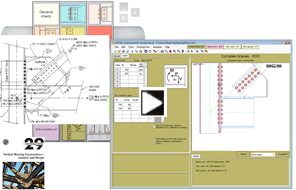
Vertical brace as in AISC Design Guide 29
|
Highlights include:
- Select the brace and members in your connection
-
Choose your preferrred method (Uniform Force Method for example) and let SCS take care of assigning forces in the submodules
-
Choose if you want to make the vertical connection with end plates, clip angles, fin plates (shear tabs) or a fully welded one
-
Decide if you would like to design the gusset to column connection separately, which it would allow to configure different bolt details than the beam to column joint
-
Design your joints
in the submodules! :)
- Enjoy your full Microsoft Word report
|
|
|
|
|
|
'Validation Examples' series
|
|
Click on the images to open the page where you can see the videos. The videos show how to recreate the mentioned examples on SCS.
The examples are taken from standard and well recognized books about steel connection design.
Results are compared to what calculated in the book examples and differences, if any, are explained.
While those examples are developed in SCS, some interesting features of SCS are highlighted.
Please watch them and let us have your feedback.
ve your feedback.
|
|
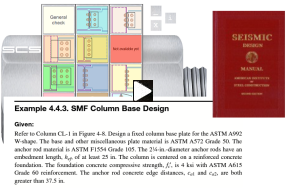
Base Plate Design according to AISC Seismic Design Manual
|
Check out this example for base plate design according to AISC Seismic Design Manual.
Highlights include:
- Load input through formulas
-
Filtering member database
-
Adding custom properties to bolt DB
-
Input of concrete details and geometry setup
-
Calculating minimum required thickness according to AISC Design Guide 1 (2nd
edition)
-
Checking combined tension and shear ratio in anchor bolts including eccentricity
-
Weld checks
-
Discussion about limitations
|
|
|
|
|
|
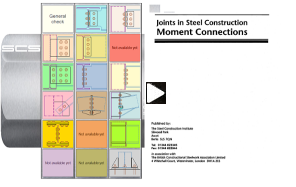
Bolted moment end plate according to BS/Eurocode method
|
Please watch this validation example for moment end plate design according to British code and Eurocode T-Stub method.
Highlights include:
- Importing DB data from file
-
T-Stub report detailed comparison
-
Moment capacity and compression stiffeners
-
Backing plates
-
Tension and intermediate stiffeners
-
Column web panel shear
-
Morris stiffener
-
Completing the solution with SCS
|
|
|
|
|
|
|
|
|
|